The Ultimate Setup Guide for Your Bx Oled
The LG BX OLED represents a unique milestone in the evolution of display technology. As the entry-level gateway into LG’s legendary OLED ecosystem during its release cycle, it brought the infinite contrast ratios and perfect black levels of organic light-emitting diodes to a more accessible price point. However, owning one is only half the battle. To truly unlock the potential of this sophisticated panel, one must navigate a labyrinth of picture settings, HDR standards, and gaming features that define the modern home theater experience. This guide provides a comprehensive roadmap for optimizing the BX OLED, ensuring that every pixel performs at its peak, whether you are a cinephile seeking director-intended accuracy or a competitive gamer looking for the lowest possible latency.
Product Analysis: Decoding the BX OLED’s Value Proposition
At the heart of the LG BX is the self-emissive nature of OLED technology. Unlike traditional LED-LCD TVs that rely on a backlight and a liquid crystal shutter, every single pixel in the BX is its own light source. When the TV needs to display black, those pixels simply turn off completely. This results in a contrast ratio that is technically infinite, a characteristic that remains the "holy grail" of display performance. The BX was positioned just below the widely popular CX model, utilizing the Alpha 7 Gen 3 AI Processor rather than the more powerful Alpha 9 found in its more expensive sibling. While some feared this would lead to significant performance gaps, real-world usage suggests that the BX maintains about 90% of the flagship's prowess at a significantly lower cost.
The Alpha 7 Gen 3 processor handles upscaling, noise reduction, and motion handling with remarkable efficiency. For buyers who primarily stream 4K content or play modern video games, the differences in processing power are often negligible. Where the BX truly shines is in its support for the latest connectivity standards. It includes HDMI 2.1 ports, which are essential for 4K gaming at 120Hz, Variable Refresh Rate (VRR), and Auto Low Latency Mode (ALLM). This suite of features makes the BX a future-proof investment for owners of Ninth Generation consoles and high-end PC gamers. Despite being the "budget" OLED, it does not compromise on the core technologies that define the premium viewing experience.
Critical Performance Features
When analyzing the BX, three categories stand out: color accuracy, motion integrity, and HDR impact. Out of the box, LG provides several picture modes, but the "Filmmaker Mode" is the star of the show. Developed in collaboration with the UHD Alliance and renowned directors, this mode disables all post-processing effects like motion smoothing and artificial sharpening, presenting the film exactly as the creator intended. For those who watch in a dark "Batcave" environment, the BX offers an ink-black canvas that makes colors pop with a vibrancy that LCD TVs struggle to replicate without noticeable blooming or haloing around bright objects.
Motion handling on the BX is naturally superior due to the near-instantaneous response time of OLED pixels. While an LCD might take several milliseconds for a crystal to rotate and change color, OLED pixels change states in a fraction of a millisecond. This removes the "ghosting" often seen in fast-moving sports or action sequences. However, this instant response can lead to a phenomenon known as "stutter" in low-frame-rate content (like 24fps movies). To counter this without creating a "Soap Opera Effect," the BX includes a feature called TruMotion with a "User" setting that allows for fine-tuning de-judder and de-blur independently.
Pros and Cons of the BX OLED
- Unmatched Contrast: The ability to achieve true black levels creates a sense of depth and three-dimensionality that no other technology can match.
- Gaming Powerhouse: Support for HDMI 2.1, G-Sync, and FreeSync Premium ensures a tear-free, high-bandwidth gaming experience with incredibly low input lag.
- Wide Viewing Angles: Unlike VA-panel LCDs, the BX maintains color and contrast accuracy even when viewed from extreme side angles, making it perfect for wide sectional seating.
- Sleek Design: The panel is thinner than most smartphones, providing a minimalist aesthetic that looks like a piece of art when wall-mounted.
- Dolby Vision IQ: The light sensor built into the TV can detect ambient room brightness and adjust the Dolby Vision tone mapping dynamically to ensure shadow detail is never lost.
- Peak Brightness: While the BX is bright enough for most rooms, it cannot reach the searing highlights of premium LED-LCDs (like the Samsung QN90 series), making it less ideal for rooms with floor-to-ceiling windows and direct sunlight.
- Risk of Permanent Burn-In: As with all organic displays, displaying static elements (like news tickers or HUDs) at maximum brightness for thousands of hours can lead to permanent image retention, though LG’s preventative software tools have greatly mitigated this risk.
- Aggressive ABL (Auto Brightness Limiter): To protect the panel from overheating, the TV will automatically dim the entire screen if a large area is extremely bright (such as a hockey game or a snowy landscape).
- Processing Limitations: The Alpha 7 chip is slightly less adept at cleaning up low-bitrate "macroblocking" in older 720p or 480p content compared to the Alpha 9 chip.
Technical Specifications Comparison
Understanding how the BX fits into the market requires comparing it to its closest relative, the CX, and the traditional LED-LCD alternatives. The following table highlights the essential differences that buyers should consider during the setup process.
| Feature | LG BX OLED | LG CX OLED | High-End LED-LCD |
|---|---|---|---|
| Processor | Alpha 7 Gen 3 AI | Alpha 9 Gen 3 AI | Brand Specific (Varies) |
| Black Levels | Perfect (0 nits) | Perfect (0 nits) | Detailed but Elevated |
| HDMI 2.1 Ports | 2 (Lower Bandwidth) | 4 (Full Bandwidth) | Usually 1 or 2 |
| HDR Formats | Dolby Vision, HDR10, HLG | Dolby Vision, HDR10, HLG | HDR10+, Dolby Vision (Varies) |
| Peak HDR Brightness | ~500-600 nits | ~700-800 nits | 1000-2000+ nits |
| Gaming Support | G-Sync / FreeSync | G-Sync / FreeSync | Variable Support |
Comprehensive Setup Guide: Turning the TV into a Cinema
The first step in setting up your BX is addressing the physical environment. OLEDs are reflective by nature. Positioning the TV away from direct sunlight is crucial, not just for visibility, but to protect the organic compounds in the panel from UV damage over time. Once situated, the software configuration begins. This process should be divided into three phases: Basic Picture settings, HDR/Dolby Vision optimization, and Gamer-specific features.
Shop the latest TVs & Home Theater picks on Amazon.
Shop Amazon →Phase 1: SDR Calibration for Everyday Viewing
For standard cable TV, YouTube, and older movies, you are working in SDR (Standard Dynamic Range). The goal here is accuracy and longevity. First, disable "Energy Saving Step." While noble in intent, this feature fluctuates the brightness based on room light in a way that destroys the calibration. Next, select "ISF Expert Bright Room" or "ISF Expert Dark Room" depending on your time of day. Set "OLED Light" to around 60 for dark rooms and 80 for bright ones. Keep "Contrast" at 85 and "Brightness" at 50. Setting brightness even one click higher can "lift" the blacks, causing the pixels to stay on when they should be off, effectively losing the OLED advantage.
In the "Expert Controls" menu, ensure "Color Gamut" is set to "Auto" so the TV doesn't oversaturate colors that were meant to be subtle. Set the "Color Temperature" to "Warm 2." Most users are used to the "Cool" or blueish tint of store-display TVs, but Warm 2 is the industry standard (D65 white point) used in Hollywood mastering suites. It may look slightly yellow at first, but your eyes will adjust within minutes to see much more natural skin tones and white balances.
Phase 2: HDR and Dolby Vision Optimization
When you play HDR content (High Dynamic Range), the BX will display a logo in the top right corner. In HDR1…For Dolby Vision, which carries its own dynamic metadata, you should use the "Cinema Home" preset if you have some light in the room, as it utilizes the AI Brightness sensor to keep the image visible. If you are in a pitch-black room, "Cinema" (not Home) is the most accurate mode. Under no circumstances should you use "Vivid" or "Standard," as these modes apply heavy blue filters and aggressive sharpening that obscures fine detail, particularly in high-quality 4K Blu-ray transfers.
Phase 3: The Ultimate Gaming Configuration
For many, the BX was purchased specifically for its gaming prowess. To get the best out of your console, go to the "Additional Settings" menu and ensure "HDMI Ultra HD Deep Color" is toggled on for the port you are using. Without this, the TV will not accept a full 4K HDR signal. Use the "Game" picture mode to drop the input lag to roughly 13ms. If you are a PC gamer using an NVIDIA card, go into the "Picture Options" and ensure "AMD FreeSync Premium" is off if you want to use "G-Sync" (though the BX supports both, they can sometimes conflict if both are forced).
One specific tip for BX gamers: the Alpha 7 Gen 3 processor has a slightly lower bandwidth on its HDMI 2.1 ports (40Gbps instead of 48Gbps). While this sounds concerning, it is actually more than enough for 4K/120Hz at 10-bit color. You only reach the limit if you try to push 12-bit color at 4K/120Hz, which the panel cannot physically display anyway. Keep your console or PC output at 10-bit for the most stable and artifact-free image.
Discover deals on TVs & Home Theater — updated daily.
Browse Now →Buying Guide: Is the BX Right for You?
The BX OLED exists in a sweet spot, but it isn't for everyone. When deciding whether to invest in this particular model or look toward newer EVO panels or QD-OLED alternatives, consider the following use cases. If your primary viewing habit involves watching the news for six hours a day with static banners at the bottom of the screen, or if you leave the TV on as background noise for pets while you are at work, a traditional LED-LCD (like the Sony X90 or various Mini-LED options) is a safer bet due to the absence of burn-in risks.
However, if your lifestyle involves curated movie nights, binge-watching prestige TV on streaming platforms, or immersive gaming, the BX offers a level of image quality that an LCD simply cannot replicate. The "inky" depths of a space scene in a science fiction film or the subtle shadow gradations in a horror movie become transformative experiences on an OLED. When buying, also consider the audio. The BX is incredibly thin, which means its speakers are small. To match the premium visual experience, the buying guide strongly suggests budgeting for a dedicated soundbar or a 3.1 channel home theater system to handle the low-end frequencies that the TV’s chassis cannot produce.
Panel Maintenance and Longevity
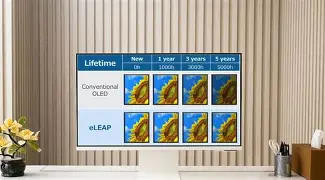
Longevity is the most common concern for OLED owners. To maximize the life of your BX, there are a few built-in tools you should familiarize yourself with. "Pixel Refresher" is an automated process that runs after the TV has been turned off for a cumulative four hours. Never unplug your TV from the wall immediately after a viewing session; the TV needs to be in standby mode to run this cleaning cycle. Additionally, keep "Screen Shift" enabled in the OLED Screen Saver menu. This subtly moves the entire image by a few pixels every few minutes to prevent any single pixel from being stressed by a static element like a logo. High brightness is the enemy of organic pixels; for daily "casual" watching, keeping the OLED Light at 50 or below will significantly extend the life of the panel compared to running it at 100 constantly.
Conclusion
The LG BX OLED remains a testament to the democratization of high-end display technology. While it was marketed as the entry-level option, its performance in a darkened room is virtually indistinguishable from displays costing twice as much. By taking the time to disable unnecessary "eco" features, aligning the color temperature to industry standards, and correctly configuring the HDMI 2.1 handshake for gaming, you transform the BX from a standard television into a precision optical instrument. The perfect blacks and infinite contrast provided by this panel offer a depth of immersion that redefines what home entertainment can be. As long as the user is mindful of panel maintenance and room lighting, the BX OLED provides a world-class viewing experience that continues to hold its own against much newer competitors.